
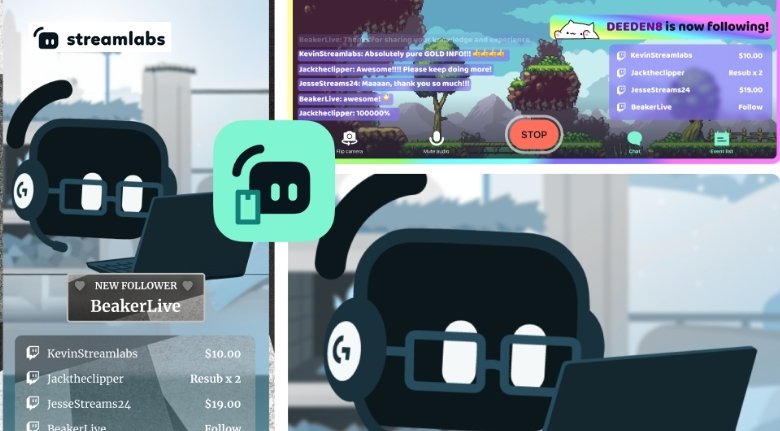
Live streaming has become an exciting way to share gaming sessions, creative projects, tutorials, conversations and entertainment with an online audience. However, creating an enjoyable stream involves much more than simply pressing the “Go Live” button. Good visuals, clear audio, engaging overlays and reliable streaming tools can make a significant difference in how professional and enjoyable your content feels.
Streamlabs provides a collection of tools designed to help creators manage different parts of their streaming experience. Whether you are starting your first stream or already have an established channel, having the right setup can make content creation easier and more organized.
The goal should not be to purchase every available accessory or add countless effects. Instead, focus on the elements that improve your viewers’ experience and make your own workflow more comfortable.
Start With a Clear Streaming Goal
Before investing in equipment or software, decide what type of content you want to create.
Gaming streams may require a strong computer, good gameplay capture and responsive controls. Creative streams might benefit more from a quality camera, microphone and well-organized workspace. Talk-based streams usually depend heavily on clear audio and a comfortable presentation.
Streamlabs can support different types of creators, but your requirements will depend on your content.
Write down the main purpose of your channel and the audience you want to reach. This will help you choose features that actually contribute to your goals instead of adding unnecessary complexity.
Build a Comfortable Streaming Space
Your environment can influence the quality of your content.
A clean and organized background can make a stream feel more professional, while a comfortable chair and properly positioned desk can help you stay focused during longer sessions.
Streamlabs tools can be combined with your existing setup to create a more polished presentation.
Think about lighting as well. A simple light positioned correctly can improve camera quality considerably.
You do not need an expensive studio to create good content. A tidy space, consistent lighting and thoughtful camera placement can go a long way.
Prioritize Good Audio
Viewers may tolerate average video quality, but poor audio can make a stream difficult to watch.
A good microphone should therefore be one of the first upgrades you consider.
Position the microphone appropriately and test your audio before starting a live broadcast.
Streamlabs provides tools that can help creators manage and improve different aspects of their streaming setup.
Keep background noise under control and avoid placing the microphone too far away.
Before every important stream, listen to a short recording or test broadcast to make sure your voice is clear.
Improve Your Camera Presentation
If your content includes a face camera, presentation becomes another important consideration.
A webcam or camera should provide a clear image without excessive darkness or distracting background elements.
Streamlabs can help integrate visual elements into your broadcast, but the camera itself still needs proper positioning.
Place it at a comfortable eye level and avoid extreme angles.
Good lighting can often improve the appearance of an affordable camera more than upgrading the camera alone.
Use Overlays Carefully
Overlays can give a stream a recognizable visual identity.
They can display information such as recent followers, subscribers, donations or other channel activity.
Streamlabs offers tools and resources that allow creators to customize their broadcasts.
However, avoid filling the screen with too many graphics.
Your gameplay, conversation or creative work should remain the main focus. Use overlays to support your content rather than compete with it.
Create a Consistent Brand
A recognizable visual identity can help viewers remember your channel.
Choose a small set of colors, fonts and graphic elements and use them consistently.
Your profile image, stream overlays, starting screen and social media graphics can share a similar visual style.
Streamlabs can become part of this branding workflow by helping you create a more consistent presentation.
You do not need complicated branding. Even a simple combination of two or three colors and a recognizable logo can make your content feel more cohesive.
Design an Attractive Starting Screen
A starting screen is useful when you need a few minutes to prepare before going live.
Instead of leaving viewers with a blank screen, you can display your channel name, schedule or a short message.
Streamlabs provides tools that can help creators build customized stream elements.
Keep the design easy to read.
If viewers cannot quickly understand when the stream will begin or what content is coming, the screen is not doing its job effectively.
Make Alerts Useful
Alerts can help acknowledge audience interactions and make viewers feel noticed.
New followers, subscriptions and other activities can trigger visual or audio notifications.
Streamlabs provides alert functionality that creators can customize according to their preferences.
Avoid making alerts excessively loud or distracting.
The best alerts add energy without interrupting the main content.
Organize Your Scenes
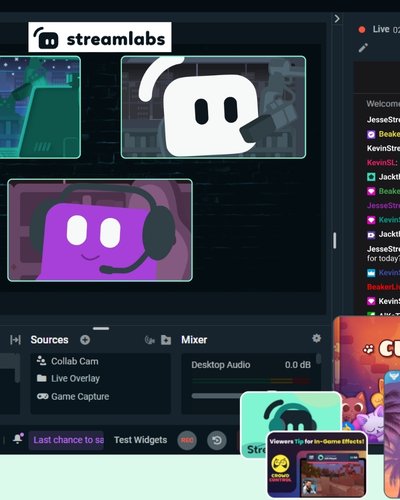
Scenes allow creators to prepare different layouts for different parts of a stream.
You might have one scene for gameplay, another for chatting and another for breaks.
Streamlabs can help you organize these different broadcast elements.
Prepare your scenes before going live so that you do not have to build layouts while your audience is waiting.
Assign convenient hotkeys where appropriate and test each scene before starting.
A few minutes of preparation can make transitions feel much smoother.
Keep Chat Interaction Natural
Streaming is not only about broadcasting content. It is also about creating a relationship with your audience.
Make time to read and respond to chat when possible.
Streamlabs provides tools that can support interaction and moderation.
However, do not let chat completely control your stream.
Create a balance between interacting with viewers and continuing with the content you planned.
A consistent rhythm can make the stream more enjoyable for both you and your audience.
Set Up Moderation
As your audience grows, managing chat can become increasingly important.
Clear community rules can help establish expectations.
Moderation tools can help creators deal with spam, inappropriate comments and disruptive behavior.
Streamlabs offers tools that can support creators in managing their communities.
Even small channels should consider basic moderation practices.
A welcoming environment encourages viewers to return and participate.
Choose the Right Stream Quality
Higher resolution is not always better if your internet connection cannot support it reliably.
Your streaming settings should match your available upload speed and computer performance.
Before going live, test your connection and monitor stream stability.
Streamlabs can help creators configure and manage their streaming workflow, but the best settings depend on your hardware, internet connection and platform.
A stable stream is generally more valuable than a high-quality broadcast that constantly buffers or disconnects.
Test Before Going Live
One of the easiest ways to avoid problems is to test your setup.
Check your microphone, camera, scenes, alerts and capture sources before starting.
Streamlabs provides tools that can simplify many aspects of this preparation.
Run a private or limited test if possible.
Listen to the recording afterward and look for problems such as audio clipping, excessive background noise, incorrect overlays or poor lighting.
Testing becomes especially important before special events or collaborations.
Use Widgets Strategically
Widgets can add useful information and interaction to a broadcast.
Depending on your setup, you might use widgets for alerts, chat activity, goals or other viewer interactions.
Streamlabs provides various customization options for creators.
Do not use every widget simply because it is available.
Choose elements that have a clear purpose and fit naturally into your layout.
A clean interface is often easier for viewers to understand.
Think About Viewer Accessibility
Accessibility can make your content easier for more people to enjoy.
Use readable text sizes and sufficient contrast in overlays.
Avoid displaying important information for only a few seconds.
If you use visual alerts, consider whether important information can also be communicated through audio or text.
Streamlabs customization tools can help creators adapt different visual elements.
Small design decisions can make a meaningful difference to viewers.
Create a Streaming Schedule
Consistency can help viewers understand when to return.
Choose a schedule that you can realistically maintain.
Streaming several times a week is not useful if it quickly leads to exhaustion.
Streamlabs can support your broader content workflow, but your schedule should be based on your available time and energy.
If you need to change your schedule, communicate the change clearly to your audience.
Reliability matters more than streaming every possible day.
Repurpose Your Streams
A live stream does not have to end when the broadcast finishes.
You can identify interesting moments and turn them into short videos, social posts or other content.
Streamlabs can be part of a larger content-creation system where one live session generates multiple pieces of content.
After each stream, review the recording and note moments that could be reused.
This approach can help you maintain activity across different platforms without creating completely new content every day.
Monitor Your Performance
Once you have streamed consistently, review your results.
Look at viewer numbers, engagement and the types of content that attract the strongest response.
Use this information to improve future streams.
Streamlabs provides tools and features that can support creators as they manage their channels.
Do not become obsessed with individual numbers.
Instead, look for patterns over time and identify what your audience seems to enjoy.
Avoid Overcomplicating Your Setup
New creators often assume that a professional stream requires expensive equipment.
In reality, content quality comes from a combination of technology, presentation and personality.
Streamlabs can help simplify many parts of the workflow, but you do not need to activate every available feature.
Start with the essentials.
Once your channel grows, you can gradually add better equipment, custom graphics and more advanced features.
Keep Your Software Updated
Streaming software and connected tools can receive updates that improve performance, compatibility and security.
Keep your software current when practical.
Before major updates, test your setup rather than installing an update immediately before an important broadcast.
Streamlabs users should also review available settings and integrations periodically to ensure everything continues working as expected.
A reliable setup is one that you understand and maintain.
Protect Your Accounts
Creators should take account security seriously.
Use strong, unique passwords and enable available security features such as two-factor authentication.
Avoid sharing sensitive account information during live broadcasts.
Be careful when clicking unfamiliar links sent through chat or private messages.
Streamlabs can support your streaming workflow, but account security ultimately depends on both platform protections and your own online habits.
Watch for Promotions
Streaming equipment, subscriptions and creator services can become expensive when purchased without planning.
If you are considering additional tools or services, watch for relevant promotions and special offers.
Streamlabs may introduce discounts or promotional opportunities at different times.
Before purchasing, compare the regular cost with the promotional price and check the terms.
A discount is most valuable when the product or service genuinely improves your workflow.
Build a Community, Not Just an Audience
Numbers can be useful, but strong communities are built through meaningful interaction.
Remember regular viewers, acknowledge contributions and create a welcoming environment.
Streamlabs can provide tools that support interaction, but technology cannot replace genuine communication.
Ask your audience questions and encourage constructive participation.
Over time, these small interactions can turn occasional viewers into loyal community members.
Learn From Every Stream
Every broadcast provides an opportunity to improve.
Perhaps your microphone was too quiet, your transitions were confusing or your lighting could have been better.
Write down a few observations after each stream.
Streamlabs can help you refine your technical workflow as you gain experience.
Do not try to fix everything at once.
Choose one or two improvements for your next stream and gradually build a stronger setup.
Final Thoughts
A successful stream does not depend on having the most expensive equipment or the most complicated layout. What matters is creating a reliable experience that allows your personality and content to remain the focus.
Streamlabs offers a range of tools that can help creators manage broadcasts, customize visuals, interact with viewers and organize different aspects of their streaming workflow.
Start with the essentials: clear audio, good lighting, stable streaming settings and a comfortable workspace. Then add overlays, alerts, widgets and other features when they provide genuine value.
Most importantly, focus on consistency and audience connection. Test your setup before going live, learn from every broadcast and gradually improve your content.
With the right balance of technology, creativity and preparation, you can build a streaming setup that feels professional without becoming unnecessarily complicated.
